Summaries & templates
Last updated: July 2026
As soon as the transcript is ready, folo writes a structured summary from it. What it looks like is up to the template; its backend is selected globally under “Settings → Summary”.
The summary tab
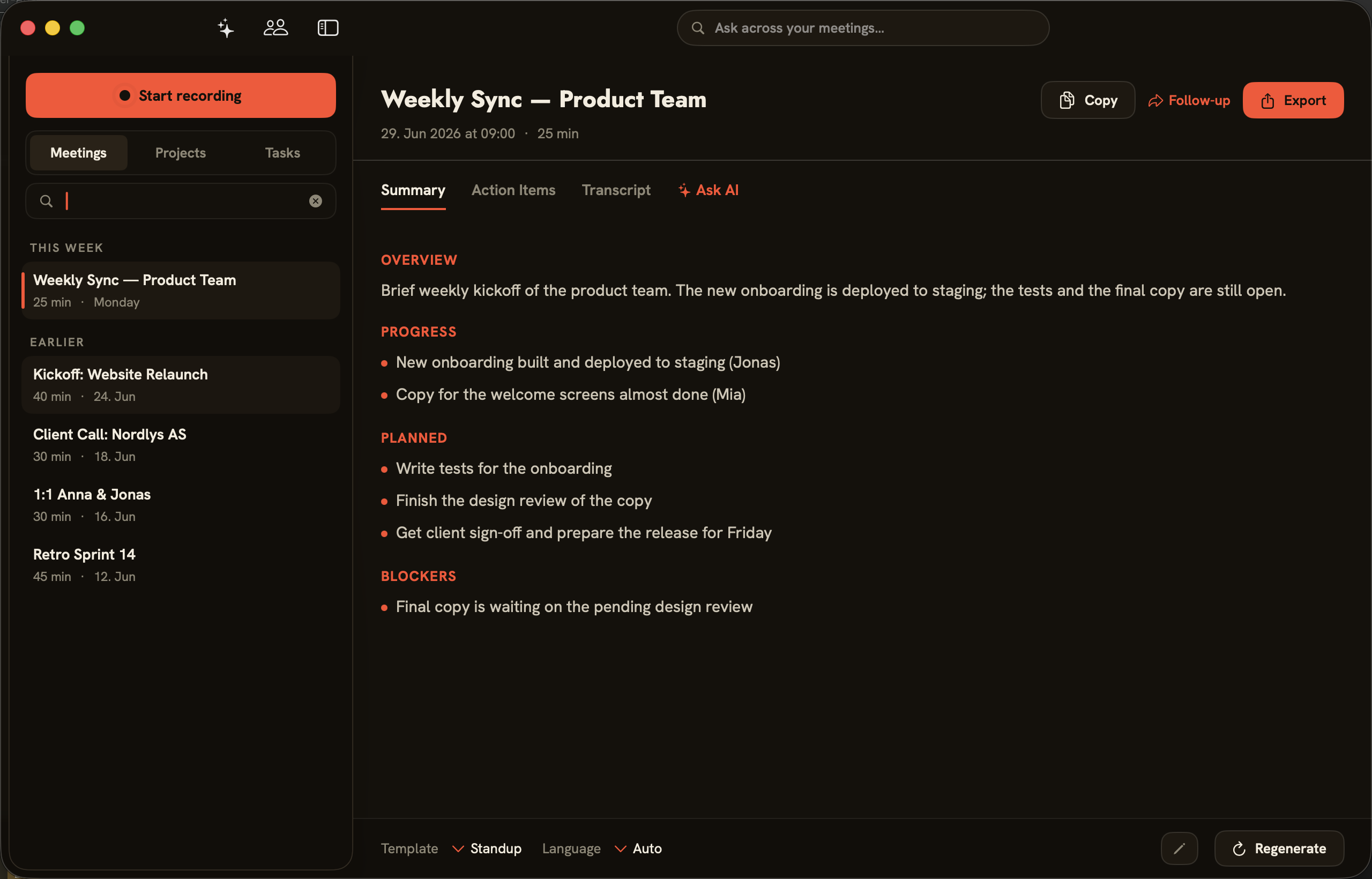
When you open a meeting, you land on the “Summary” tab. Next to it are “Action Items”, “Transcript” and “Ask AI”. The summary is organized into sections; with the Standup template, for instance, “Overview”, “Progress”, “Planned” and “Blockers”. The buttons in the top right — “Copy”, “Follow-up” and “Export” — let you share the result (see the Export & Follow-up chapter).
Choosing a template and language
At the bottom of the summary tab, “Template” sets the format and “Language” sets the output language (the default “Auto” follows the meeting’s language). folo ships with the “General”, “1:1”, “Standup” and “Sales/Customer” templates. If you switch templates or change something about the speakers, “Regenerate” produces the summary afresh.
Background: meeting notes for consultants — a template and best practices.
Your own templates
Under “Settings → General”, “New template” creates your own templates and “Edit template” opens them. A template is made of sections — each section has a heading and an AI instruction describing what belongs there. A default template decides which format new meetings use.
AI backend: local or cloud
Which AI writes summaries is set globally under “Settings → Summary”:
- “Apple Intelligence (on-device)”, “Local (Ollama)” and “Local MLX (Qwen2.5-3B, on-device)” process summaries locally on your Mac.
- “Cloud (Claude Haiku 4.5)” sends transcript text directly to Anthropic. folo stores your Anthropic API key for this mode in the macOS Keychain.
- “Claude Code (Anthropic cloud via local CLI)” sends transcript text to Anthropic through the locally installed
claudeCLI. The CLI handles its own authentication; folo stores no Anthropic API key for this mode.
For local processing, choose Apple Intelligence, Ollama or Local MLX.