Learning path
Tasks across every meeting
Last updated: July 2026
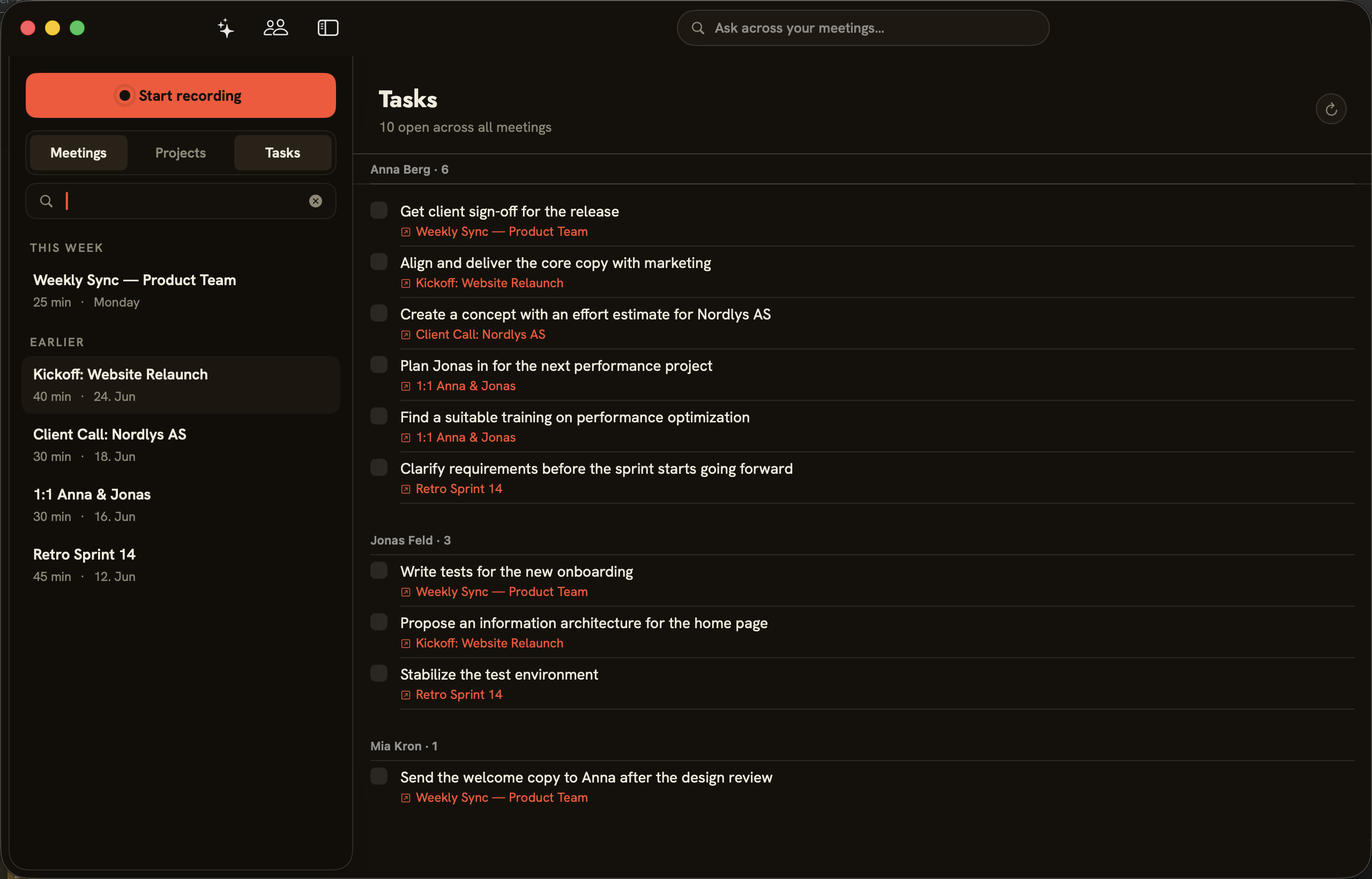
folo pulls action items and decisions out of every meeting. The “Tasks” view gathers every open point from all your meetings in one place — so nothing scattered across several conversations slips through.
Grouped by person
Switch to “Tasks” above the meeting list. At the top you see how many tasks are open (“N open across all meetings”). Below, tasks are grouped by the person responsible; each entry links to the meeting it came from — a click jumps straight there. The refresh icon pulls in freshly extracted tasks.
Action items per meeting
The same tasks appear per meeting in the “Action Items” tab. If folo finds no tasks or decisions in a conversation, the tab stays empty and tells you so. Check off completed tasks right in the list.