Transcript & speakers
Last updated: July 2026
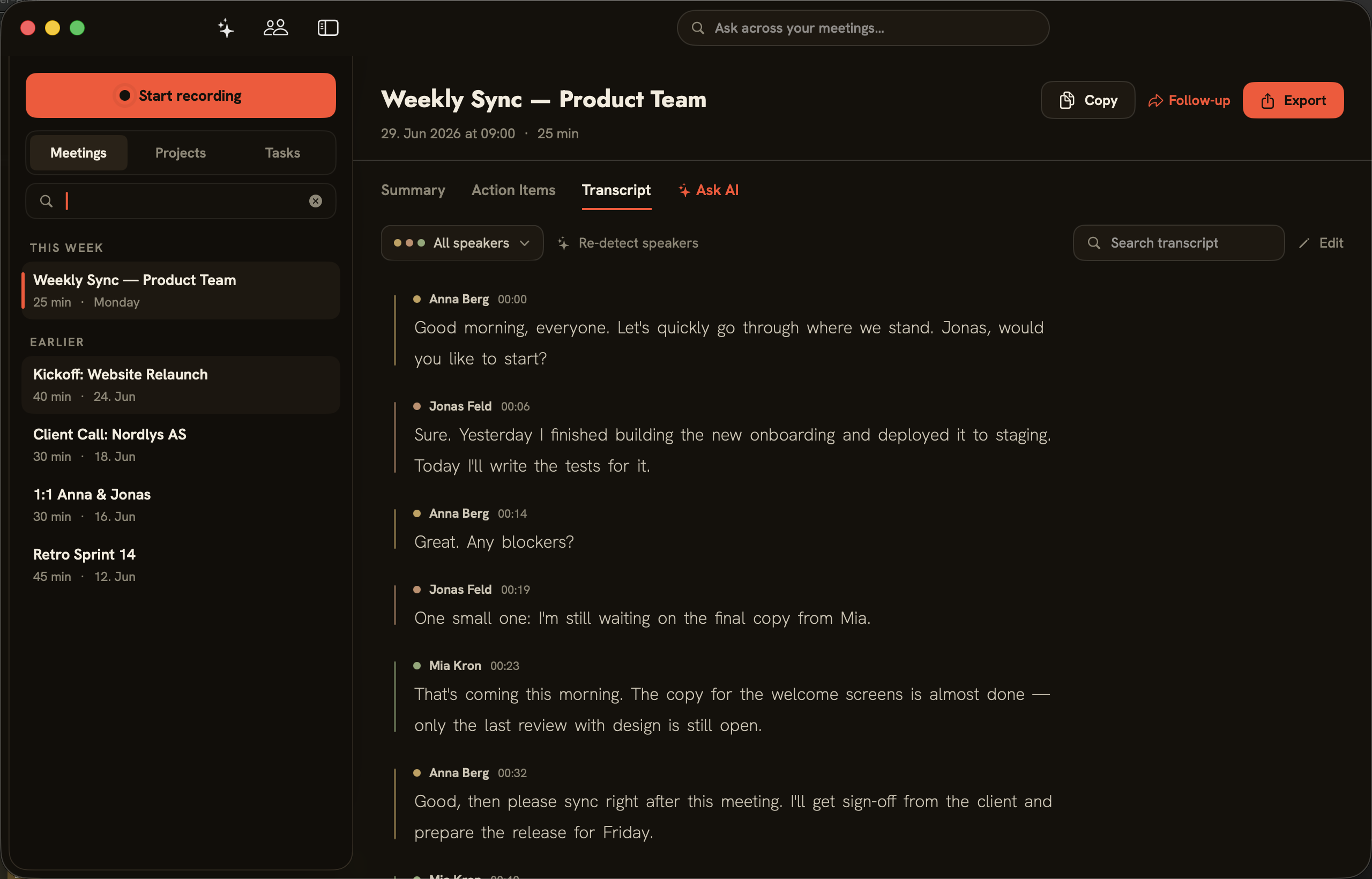
The transcript is the foundation for everything else. folo transcribes on-device and separates the speakers as it goes — not just you versus the rest, but every person individually. Each voice gets a color, each contribution a timestamp.
The transcript tab
In the “Transcript” tab you see the conversation turn by turn: name, timestamp and text, color-coded per speaker. “Search transcript” finds passages in the text; “Edit” lets you correct the transcript if recognition gets something wrong.
Filtering and re-detecting speakers
The “All speakers” filter lets you narrow down to individual people. “Re-detect speakers” sets who was in the meeting and re-matches speakers to their voice profiles — handy when folo mixes up two voices or misses a person.
Choosing a transcription engine
The engine is set under “Settings → General”:
- “Parakeet — recommended”: fast, multilingual (25 European languages plus Japanese and Chinese), on-device.
- “WhisperKit”: 99 languages, a larger model (~3 GB download), strong speaker separation, on-device.
- “Apple SpeechAnalyzer”: no download, on-device.
- “ElevenLabs Scribe”: cloud (Scribe v2), the most accurate, over 90 languages — only the audio goes to ElevenLabs, speaker separation stays on-device. It needs your own key and is only active when you choose it.
Background: on-device meeting transcription, explained.
When speakers change
Important: If you change the speaker assignment after the fact, an already-generated summary may still use old names. folo points this out — “Regenerate” in the summary tab brings it up to date.